Settings, performance and saves
The game picks settings for your computer, lets you change them, and saves your game after every move.
- Free browser demo: In part
- Full game: Yes
Settings, autosave and My games are in the free demo and the full game. Some settings are desktop only.
Performance
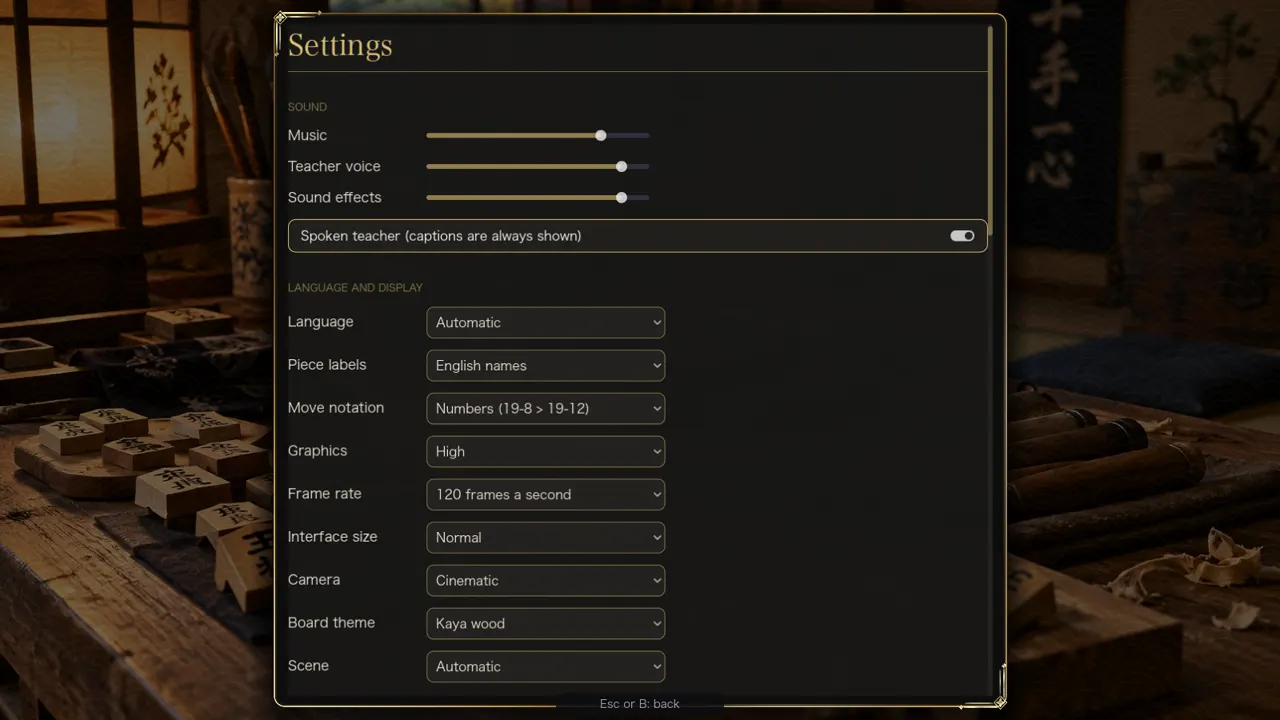
- Graphics: Fast, Balanced or High. On the first run the game picks one for your computer. If frames get slow it can step down by itself.
- Frame rate: 60 frames a second, 120, or as fast as possible. The default is up to 120, limited by your screen's refresh rate.
- Windows: the game opens in a normal 16:9 window, never maximized. F11 toggles fullscreen, and a smaller-window option is in Settings.
- Steam Deck: on a Steam Deck, a first run starts with Fast graphics, fullscreen and a larger interface, and the screens are checked at 1280 by 800. The game plays with a controller. This describes how the game behaves; it is not a release announcement.
Saves and My games
- Autosave: the game in progress is saved after every move. The title screen offers Resume.
- Set aside: start a new game over an unfinished one of 20 moves or more and the old game moves to My games, up to 10 of them, each with Resume and Delete.
- Finished games: kept for replay, the newest 200 games up to 60 MB (see Replay Theater).
- Game number: every game has a number you can copy.
- Copy and paste a game record: the pause menu copies the position and a readable list of moves to the clipboard, and pastes one back. A result can also be copied as text or as a link that replays the whole game.
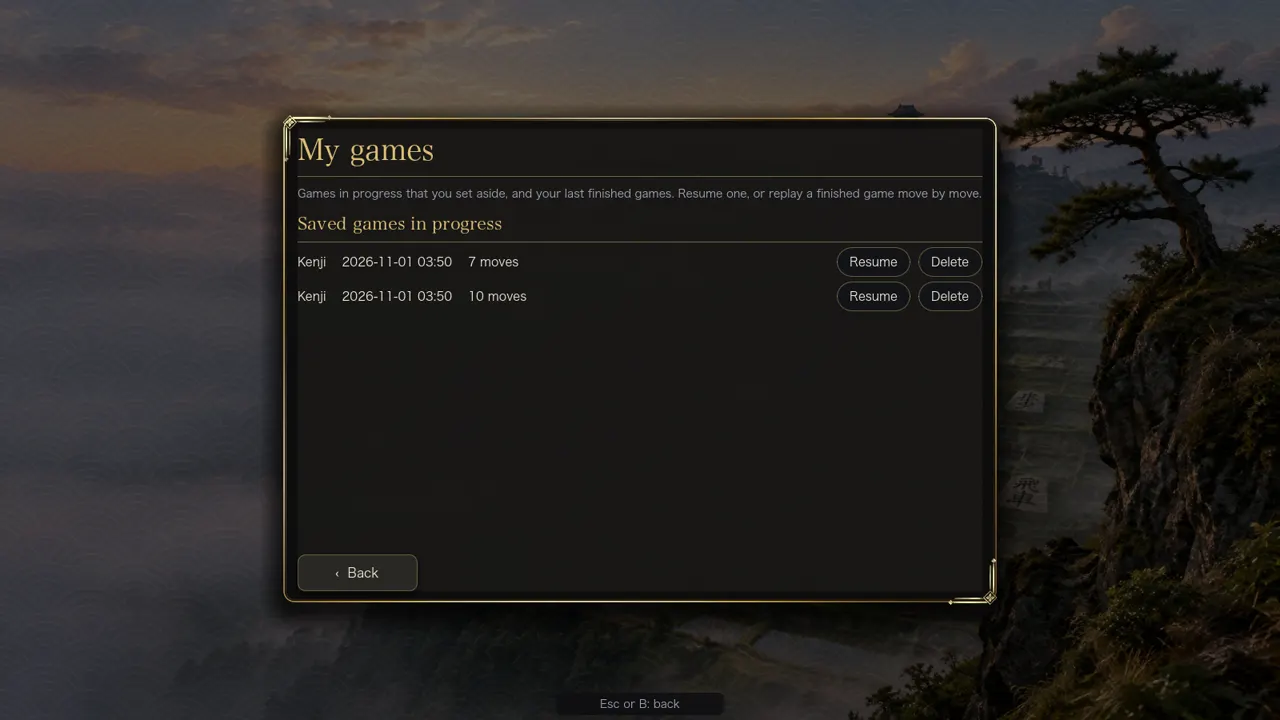
There is no file export or import of games and no cloud sync of games. Online games are not saved to My games.
Statistics
A statistics screen keeps your games, wins, pieces captured, longest game and streaks on your computer.
Try it
Part of this is in the free browser demo (the page says which). Play the demo, or get the full game for all of it.